tags / DevOps

DevOps Articles

Architecture Tests: Stop Trusting Your Architecture Diagram
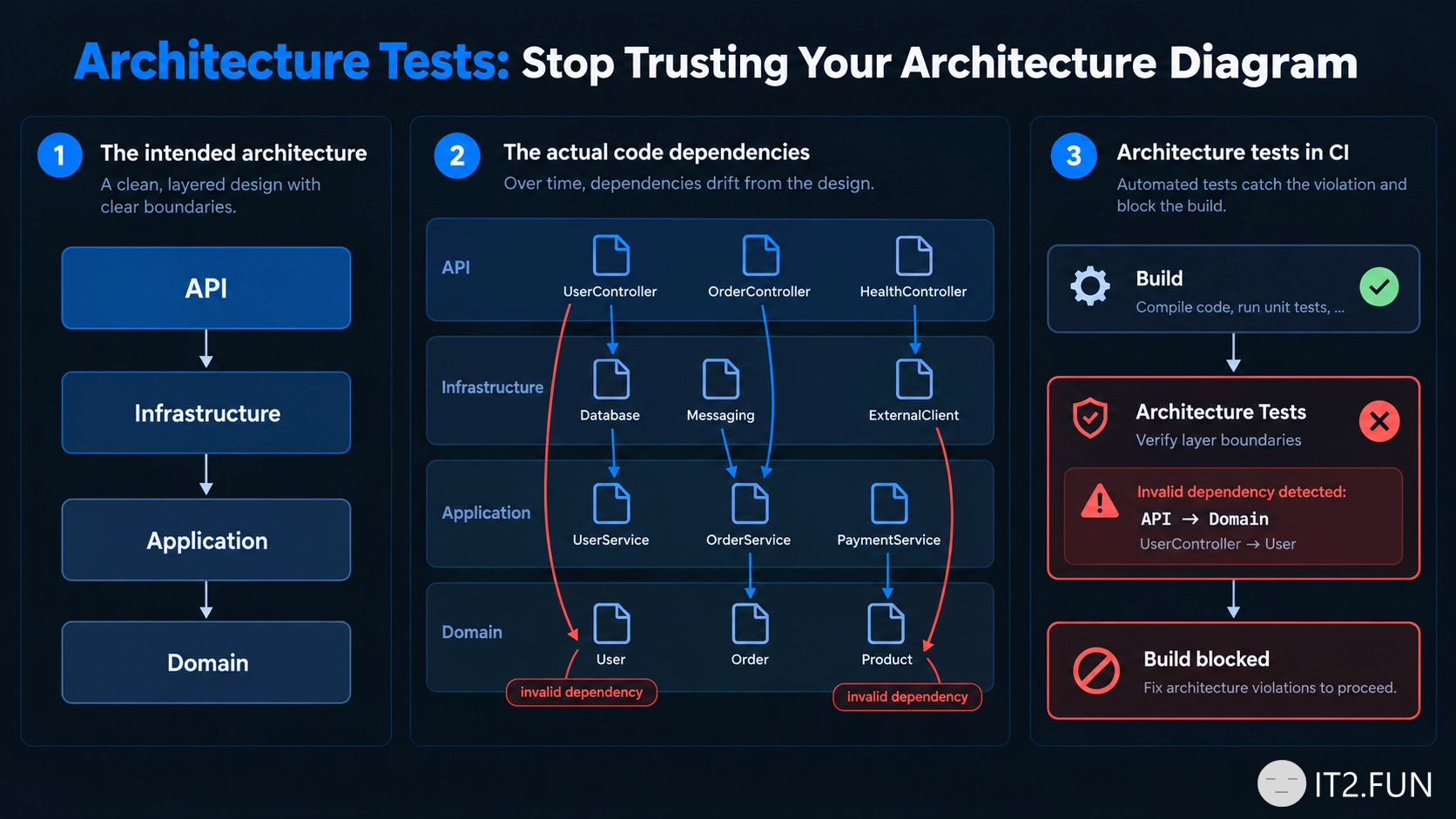
Your architecture diagram says:

API → Application → Domain
         ↑
   Infrastructure

Your code might have other ideas.

Someone adds:

Domain → Infrastructure

Then:

Application → API

Six months later, the diagram is still beautiful.

One way to protect important boundaries is with architecture tests.

For example, you can define rules such as:

Domain must not depend on Infrastructure

Application must not depend on API

Controllers must not access repositories directly

Then run those rules as part of your test suite and CI pipeline.

Architecture tests are useful for enforcing things such as:

  • Layer dependencies
  • Namespace boundaries
  • Module isolation
  • Naming conventions
  • Dependency restrictions
  • Clean Architecture rules

They don't prove that your architecture is good.

They prove that specific structural rules you decided were important are still being followed.

Documentation describes the intended architecture.

Tests can check whether the code agrees.

If an architecture rule matters enough to put on the diagram, it might matter enough to test.

How to Make Slow Code Easier to Optimize

Application feels slow?

Before optimizing it, find out what is slow.

Use profiling, tracing, metrics, or benchmarks to measure where the application spends its time.

How to Make Slow Code Easier to Optimize

You might discover that a request spends:

Validation        4 ms
Business logic   12 ms
Database        680 ms
Serialization     8 ms

Optimizing 12 ms of business logic probably won't fix a 700 ms request.

Measure things like:

  • Execution time
  • Database calls
  • External requests
  • CPU usage
  • Memory allocations
  • Lock contention

Then optimize the part responsible for the problem.

Performance optimization becomes much easier once you know what needs to become faster.

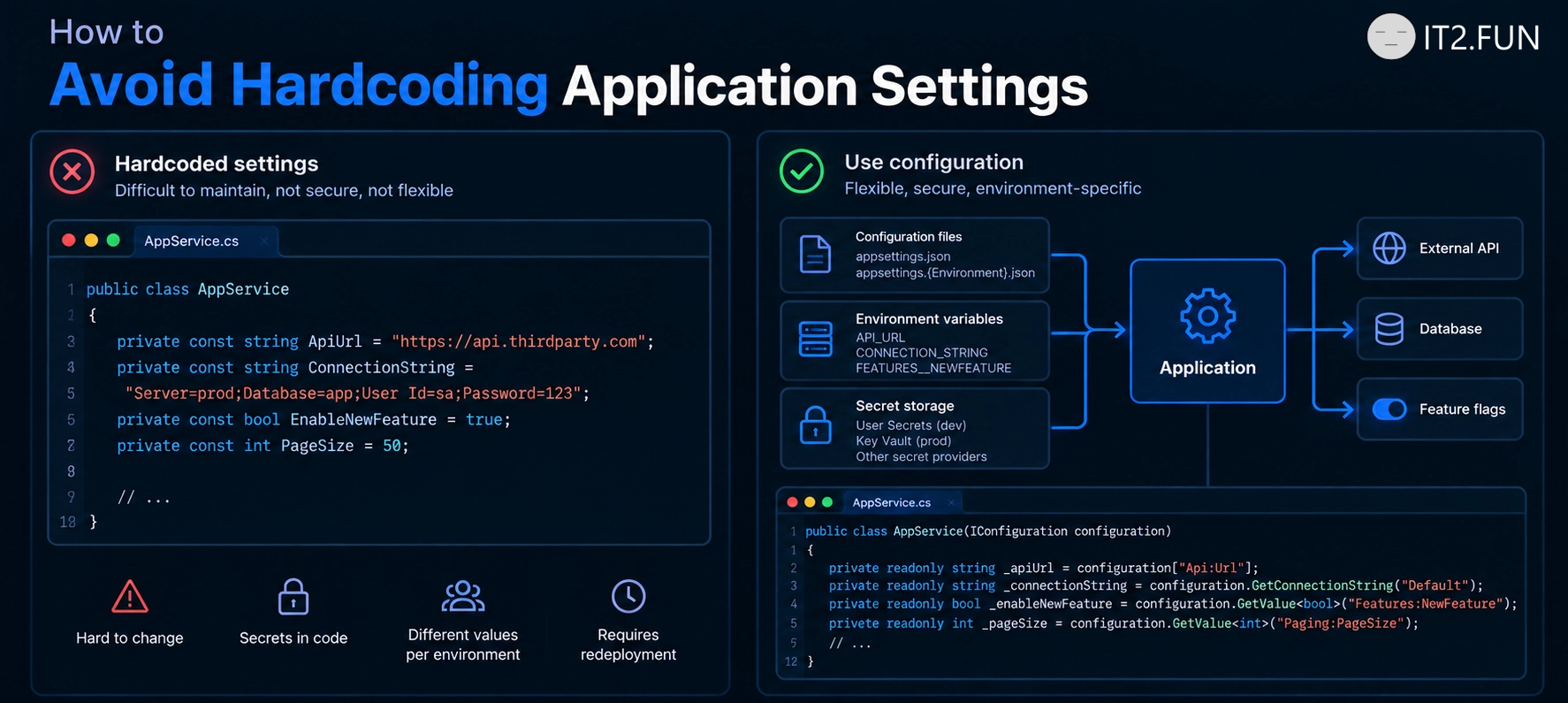
How to Avoid Hardcoding Application Settings

Have values that change between environments?

Put them in the configuration.

Instead of:

var apiUrl = "https://prod-api.example.com";
var timeout = 30;

Read them from configuration:

{
  "ExternalApi": {
    "Url": "https://api.example.com",
    "TimeoutSeconds": 30
  }
}

Then bind them to options:

builder.Services.Configure<ExternalApiOptions>(
    builder.Configuration.GetSection("ExternalApi"));
How to Avoid Hardcoding Application Settings

Configuration works well for:

  • URLs
  • Timeouts
  • Feature settings
  • Connection strings
  • Environment-specific values

Secrets should usually live in a dedicated secret store rather than source code.

If a value changes without requiring a code change, configuration is usually a better home for it.