tags / Database

Suggestions about Database

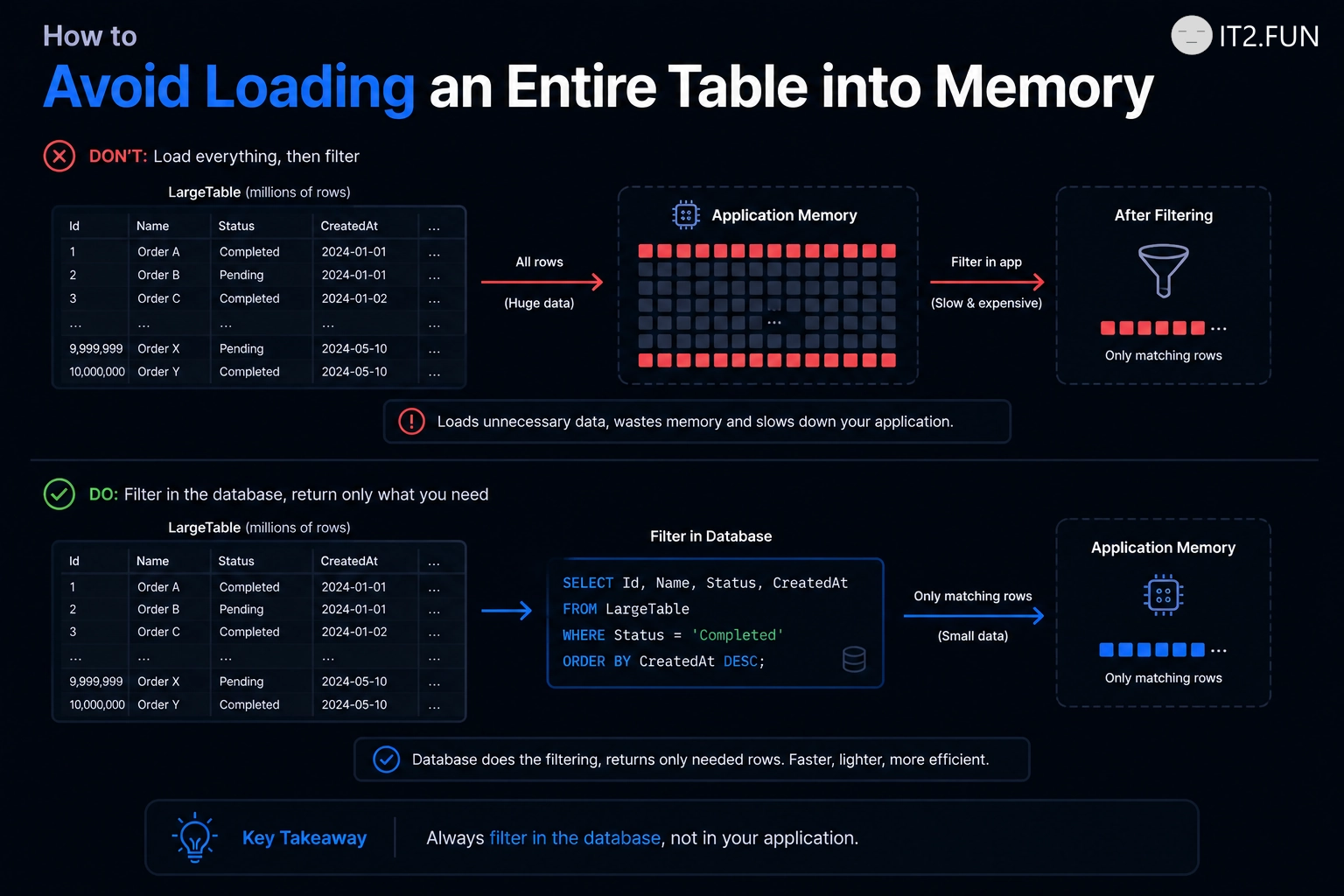
How to Avoid Loading an Entire Table into Memory

Need only active customers?

Filter them in the database.

Instead of:

var customers = await context.Customers.ToListAsync();

var activeCustomers = customers
    .Where(x => x.IsActive)
    .ToList();

Prefer:

var activeCustomers = await context.Customers
    .Where(x => x.IsActive)
    .ToListAsync();

The difference is where filtering happens.

How to Avoid Loading an Entire Table into Memory

The first approach:

  • Loads every row
  • Transfers every row
  • Stores every row in memory
  • Filters afterward

The second approach lets the database return the rows you requested.

If you need 100 customers from a table containing 1,000,000 rows, filtering before ToListAsync() tends to matter.

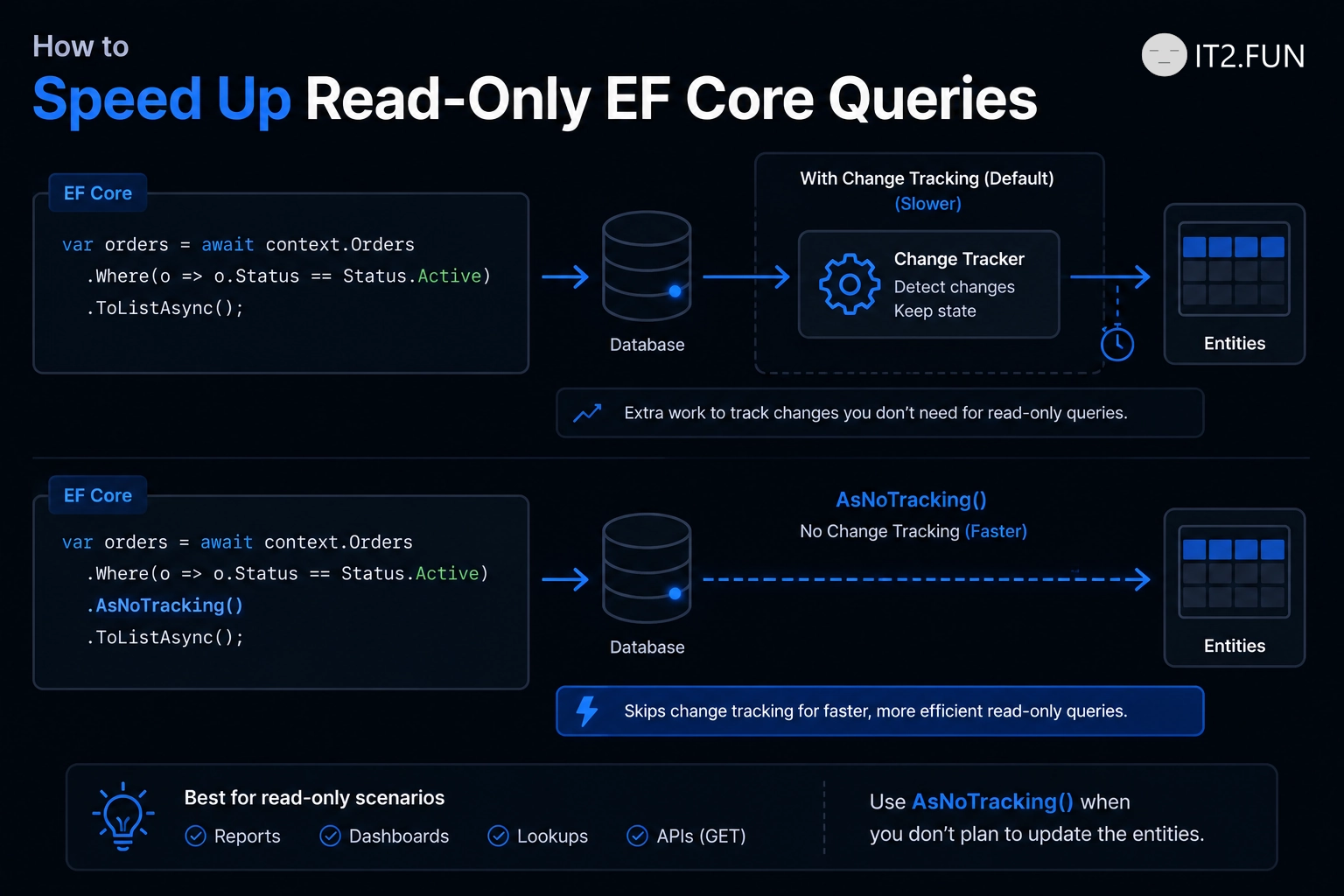
How to Speed Up Read-Only EF Core Queries

Reading data that you don't plan to update?

Consider AsNoTracking().

var products = await context.Products
    .AsNoTracking()
    .Where(x => x.IsActive)
    .ToListAsync();

By default, EF Core tracks entities so it can detect changes and persist them later.

For read-only scenarios, that tracking work might not be needed.

How to Speed Up Read-Only EF Core Queries

AsNoTracking() helps by:

  • Avoiding change tracking
  • Reducing tracking-related memory usage
  • Making the intent of the query explicit
  • Working well for API reads and reporting
  • Keeping read-only queries focused on reading

If you don't plan to change the entity, consider asking EF Core not to track changes.

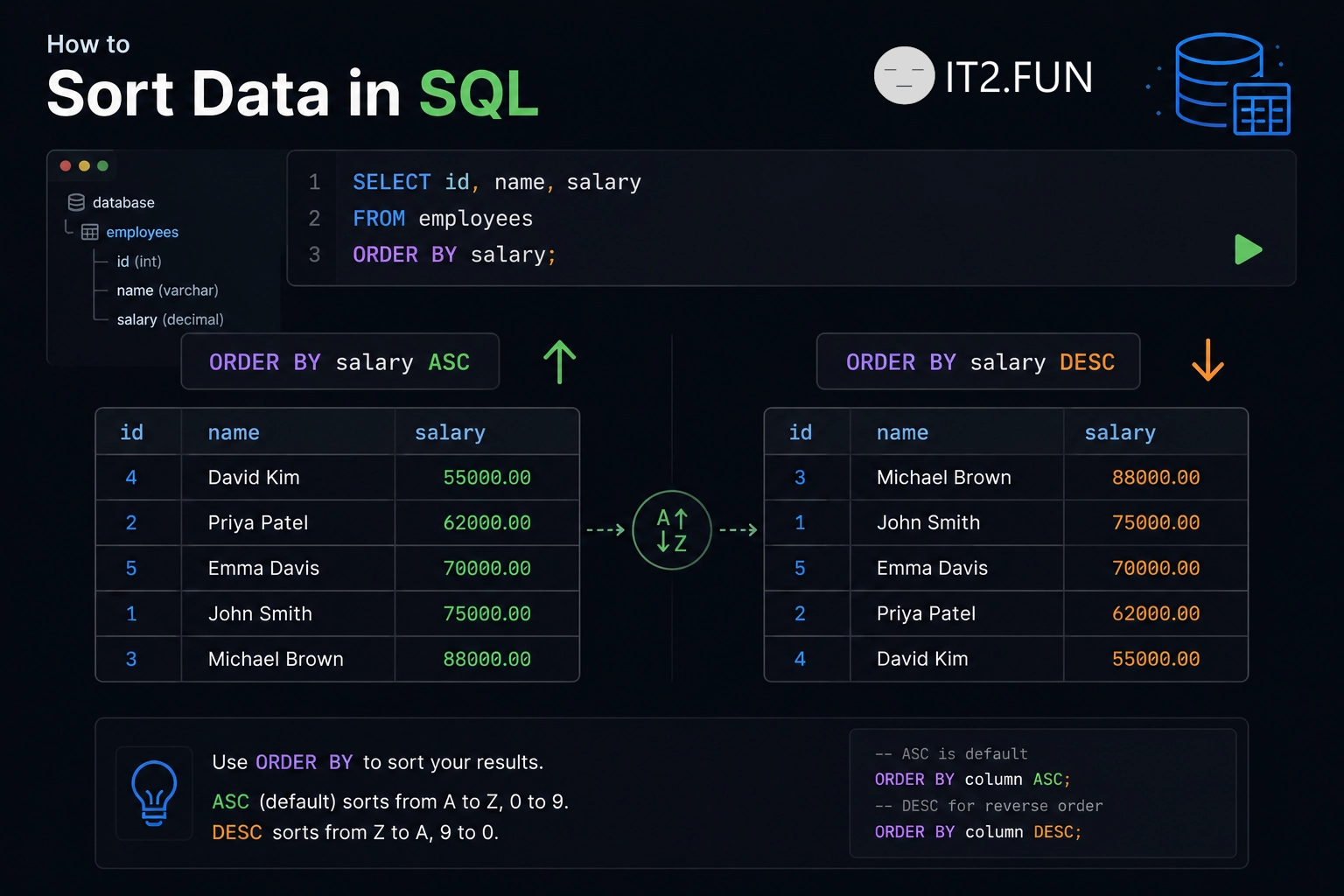
How to Sort Data in SQL

Need your SQL results in a specific order?

Use ORDER BY.

How to Sort Data in SQL

Common options:

  • ASC sorts values in ascending order
  • DESC sorts values in descending order
  • Sort by one column
  • Sort by multiple columns
  • Combine sorting with WHERE

Without ORDER BY, the database does not guarantee the order of returned rows.

If order matters, ask the database to order the results.

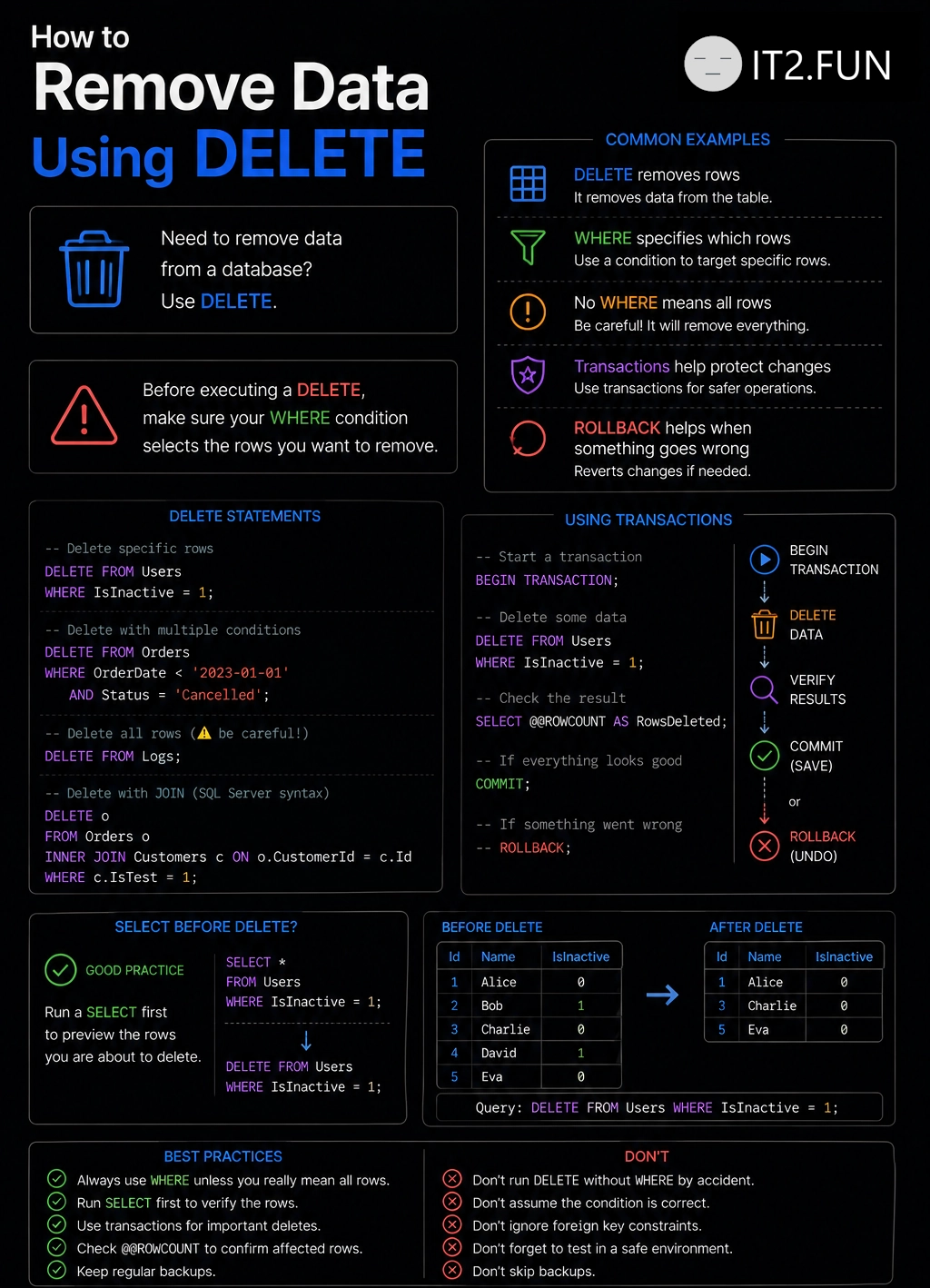
How to Delete Data from SQL

Need to remove data from a database?

Use DELETE.

How to Delete Data from SQL

Common examples:

  • DELETE removes rows
  • WHERE specifies which rows
  • No WHERE means all rows
  • Transactions help protect changes
  • ROLLBACK helps when something goes wrong

Before executing a DELETE, make sure your WHERE condition selects the rows you want to remove.

How to Build a SQL Query

Need to retrieve data from a database?

A typical SQL query consists of these clauses:

  • SELECT to choose columns
  • FROM to specify the table
  • JOIN to combine related tables
  • WHERE to filter rows
  • GROUP BY to group results
  • HAVING to filter groups
  • ORDER BY to sort data
  • OFFSET / FETCH or LIMIT to paginate

Not every query needs every clause, but this is the structure you'll see in most SQL statements.

How to Build a SQL Query

Understanding what each clause does makes reading and writing SQL much easier.

How to Speed Up SQL Queries

Queries running slowly?

Consider adding an index.

How to Speed Up SQL Queries

Indexes help SQL Server:

  • Find data faster
  • Reduce table scans
  • Improve filtering performance
  • Improve sorting performance
  • Improve join performance

Not every column needs an index, but columns used in WHERE clauses often benefit from one.

What is your favorite indexing strategy?

How to Use SaveChangesAsync in .NET

Want asynchronous database writes in EF Core?

Use SaveChangesAsync() instead of SaveChanges().

How to Use SaveChangesAsync in .NET

Benefits:

  • Doesn't block the calling thread
  • Works better under load
  • Integrates with async/await
  • Recommended for ASP.NET Core applications
  • Available since EF Core was released

What other EF Core performance tips do you use?