Your Event Is Not a Command
Your system publishes an event:
ProcessPaymentRequestedA payment service receives it and processes a payment.
Is that an event or a command?
The distinction isn't about whether you use Kafka, RabbitMQ, or another message broker.
It's about what the message means.
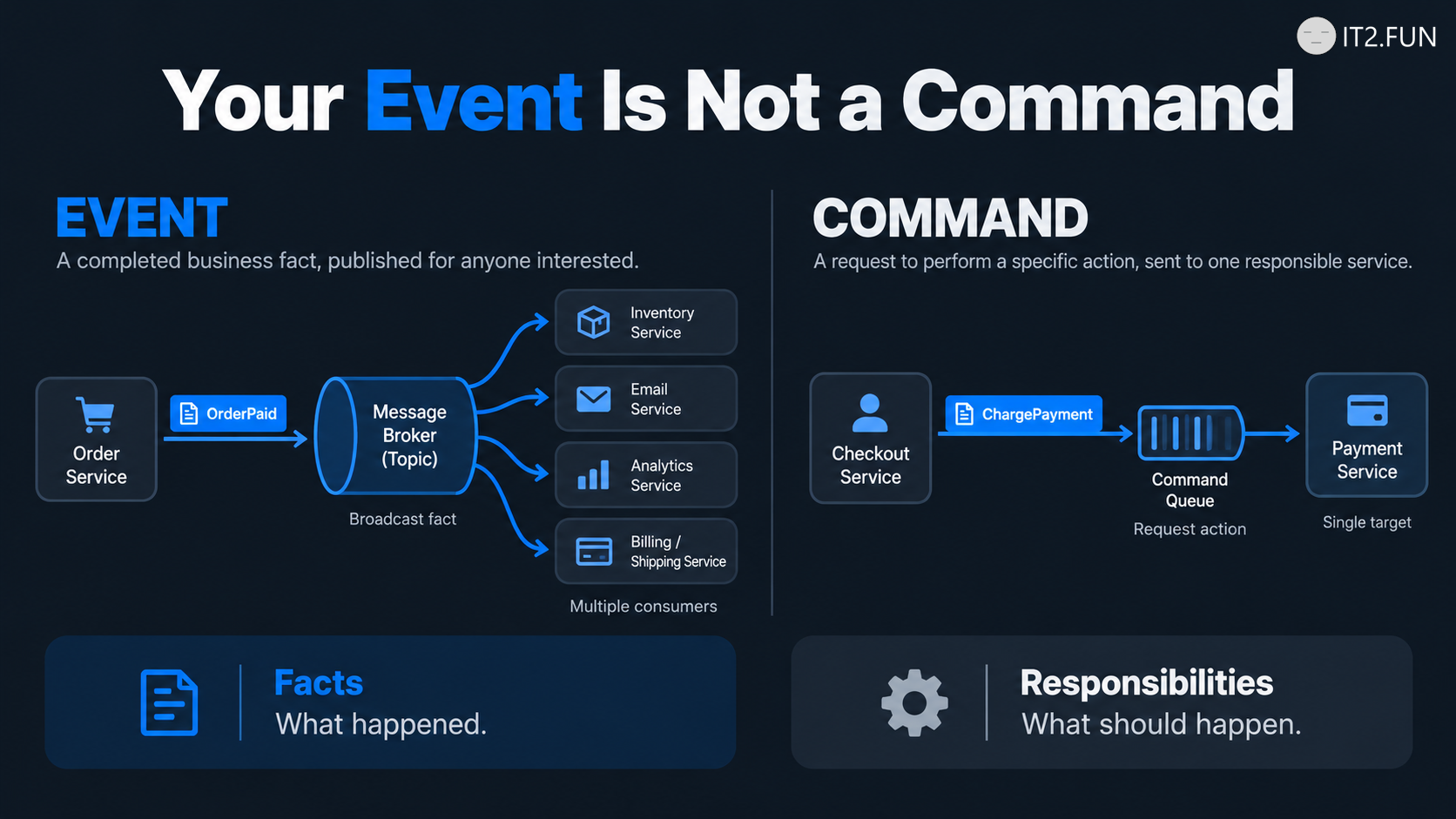
1. Events describe facts
An event communicates something that already happened.
Examples:
OrderPlaced
PaymentCompleted
InventoryReserved
CustomerRegistered
Consumers decide whether they need to react.
An OrderPlaced event might trigger analytics, notifications, or other independent processes.
The publisher doesn't need to know every consumer.
2. Commands request actions
A command communicates something that should happen.
Examples:
ProcessPayment
ReserveInventory
CancelOrder
SendInvoice
Commands express intent and responsibility.
Usually, a particular component owns the capability required to execute them.
A command might be delivered asynchronously, but asynchronous delivery doesn't turn it into an event.
3. Messaging doesn't automatically remove coupling
Consider:
OrderService
    ↓ publishes PaymentProcessingRequested
PaymentService
    ↓ must process payment
If the order workflow depends on the payment service performing this action, the relationship is still a dependency.
Publishing the instruction through an event broker doesn't eliminate that dependency.
Events work well for announcing facts.
Commands work well for requesting actions.
Choose the message based on the communication semantics, not the transport technology.