tags / ASP.NET Core

Articles about ASP.NET Core

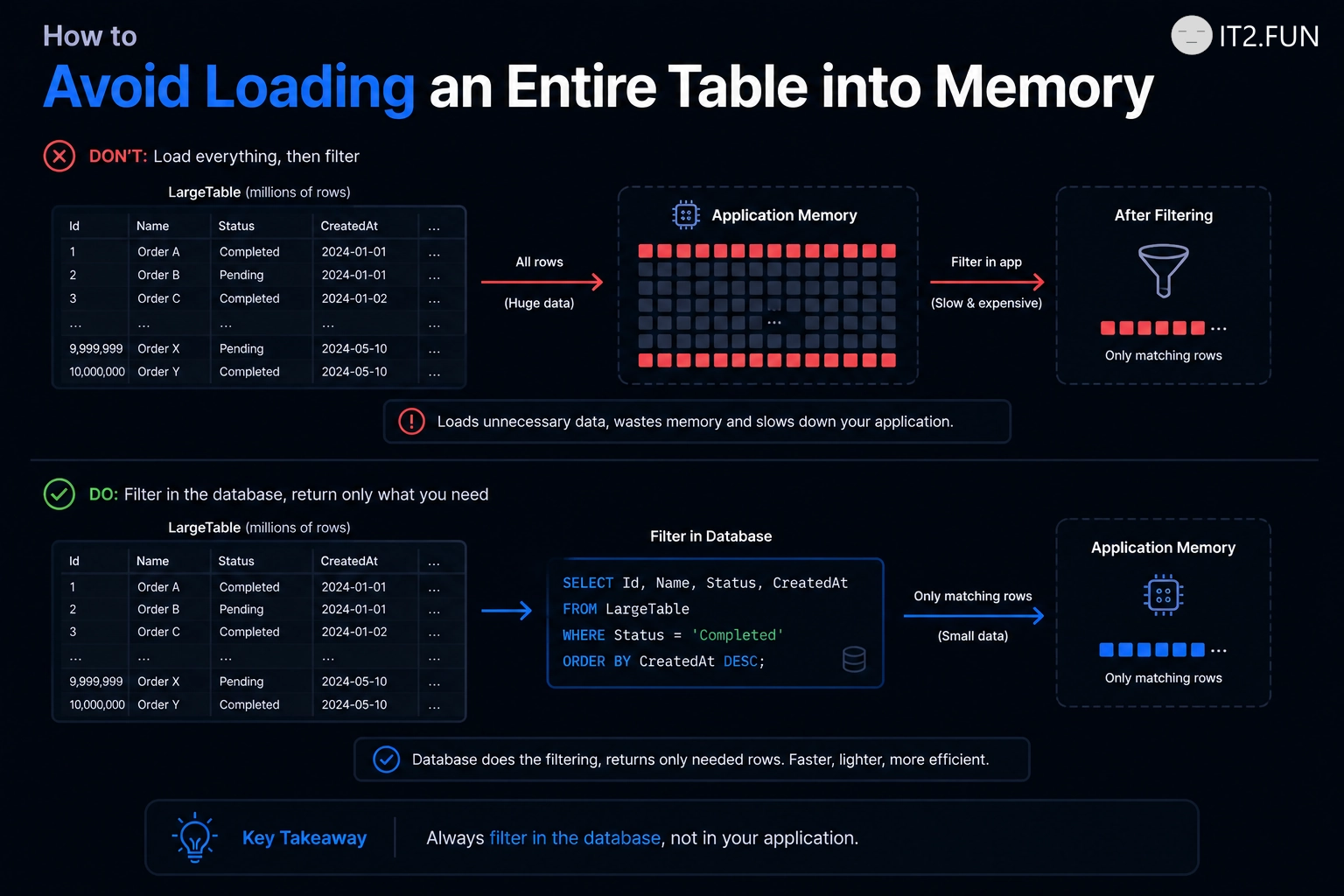
How to Avoid Loading an Entire Table into Memory

Need only active customers?

Filter them in the database.

Instead of:

var customers = await context.Customers.ToListAsync();

var activeCustomers = customers
    .Where(x => x.IsActive)
    .ToList();

Prefer:

var activeCustomers = await context.Customers
    .Where(x => x.IsActive)
    .ToListAsync();

The difference is where filtering happens.

How to Avoid Loading an Entire Table into Memory

The first approach:

  • Loads every row
  • Transfers every row
  • Stores every row in memory
  • Filters afterward

The second approach lets the database return the rows you requested.

If you need 100 customers from a table containing 1,000,000 rows, filtering before ToListAsync() tends to matter.

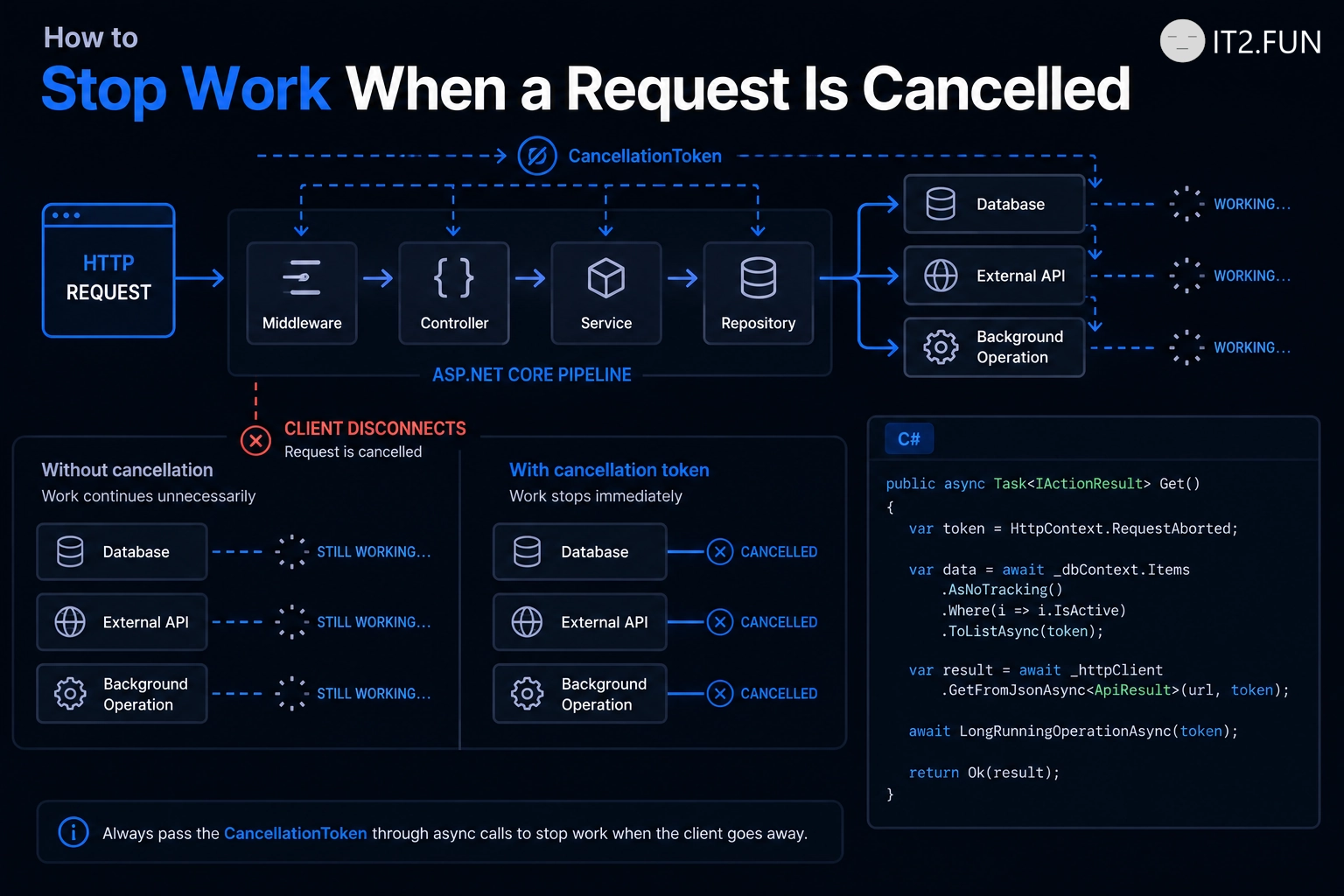
How to Stop Work When a Request Is Cancelled

Client disconnected while your API is still doing expensive work?

Pass the CancellationToken.

public async Task<IActionResult> GetOrders(
    CancellationToken cancellationToken)
{
    var orders = await context.Orders
        .ToListAsync(cancellationToken);

    return Ok(orders);
}

Propagate the token through operations that support cancellation:

  • Database queries
  • HTTP calls
  • Background operations
  • Delays
  • Long-running async workflows

Cancellation doesn't make every operation disappear immediately.

It signals downstream operations that the caller no longer needs the result.

If the request is gone, continuing work is often unnecessary.

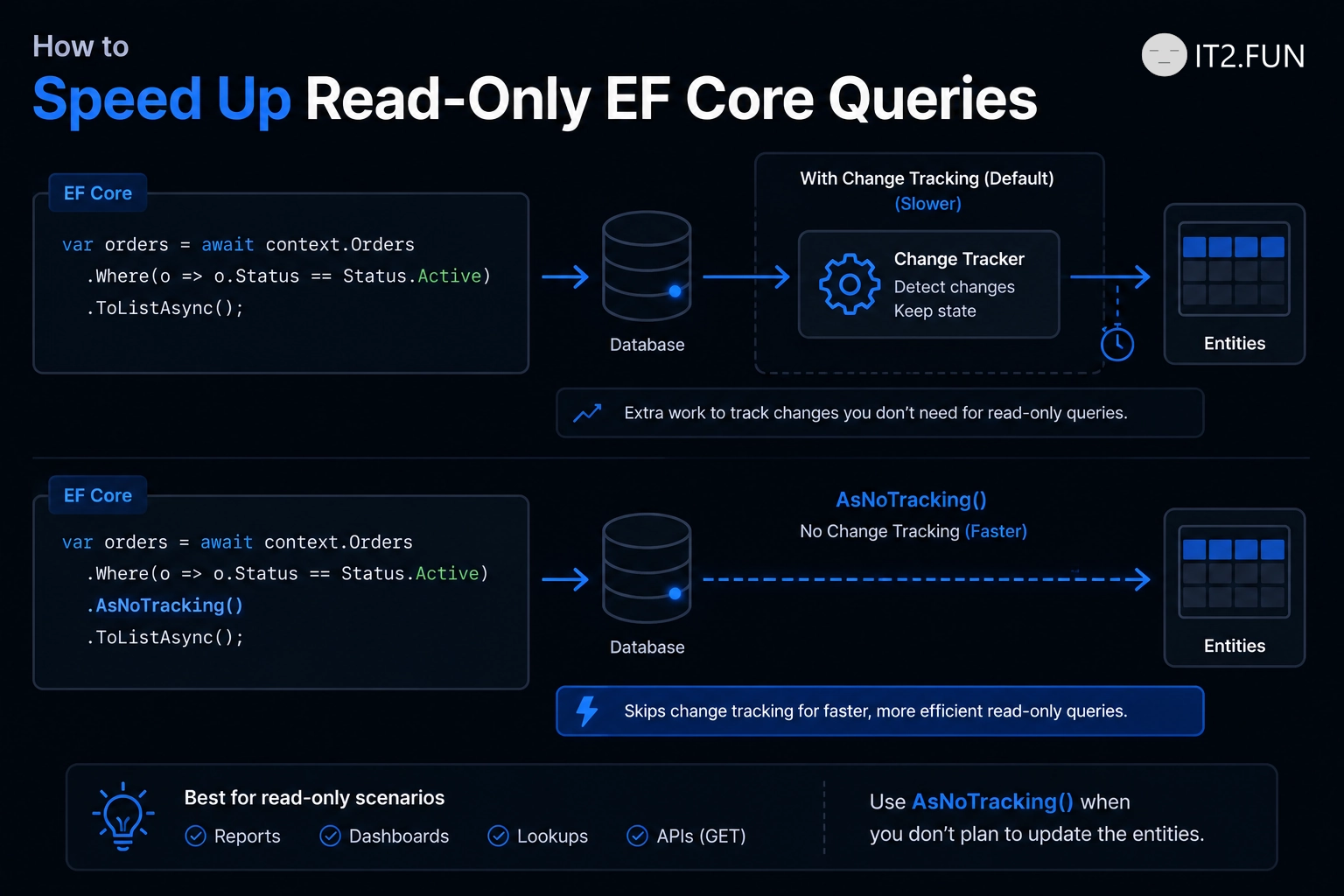
How to Speed Up Read-Only EF Core Queries

Reading data that you don't plan to update?

Consider AsNoTracking().

var products = await context.Products
    .AsNoTracking()
    .Where(x => x.IsActive)
    .ToListAsync();

By default, EF Core tracks entities so it can detect changes and persist them later.

For read-only scenarios, that tracking work might not be needed.

How to Speed Up Read-Only EF Core Queries

AsNoTracking() helps by:

  • Avoiding change tracking
  • Reducing tracking-related memory usage
  • Making the intent of the query explicit
  • Working well for API reads and reporting
  • Keeping read-only queries focused on reading

If you don't plan to change the entity, consider asking EF Core not to track changes.

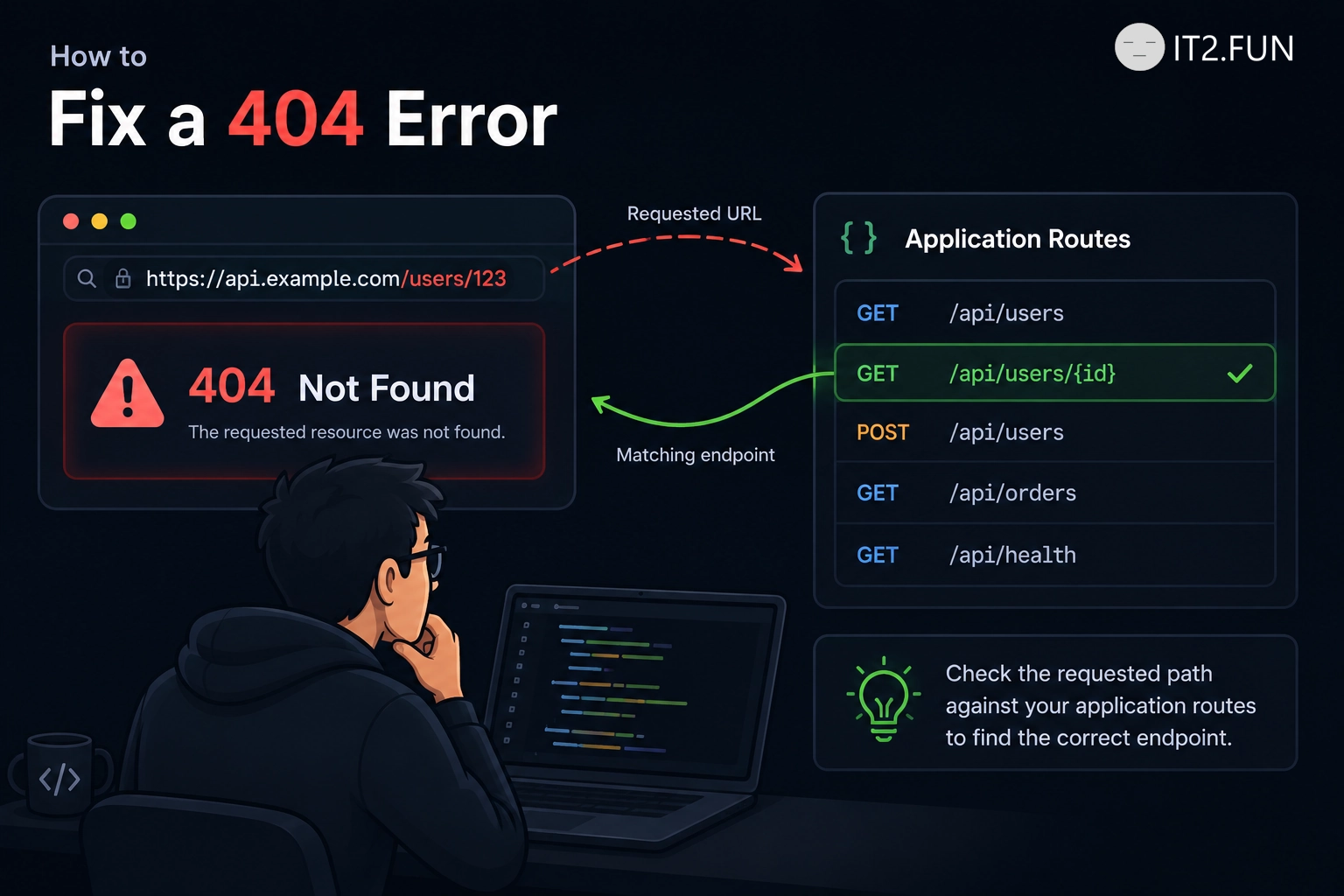
How to Fix a 404 Error

Getting a 404 Not Found response?

Check whether the requested resource exists.

Common causes include:

  • Incorrect URL
  • Wrong route
  • Missing endpoint
  • Deleted resource
  • Incorrect HTTP path
  • Deployment configuration

HTTP 404 means the server did not find the requested resource.

If you're requesting /api/users but your endpoint is /api/customers, changing the URL might help.

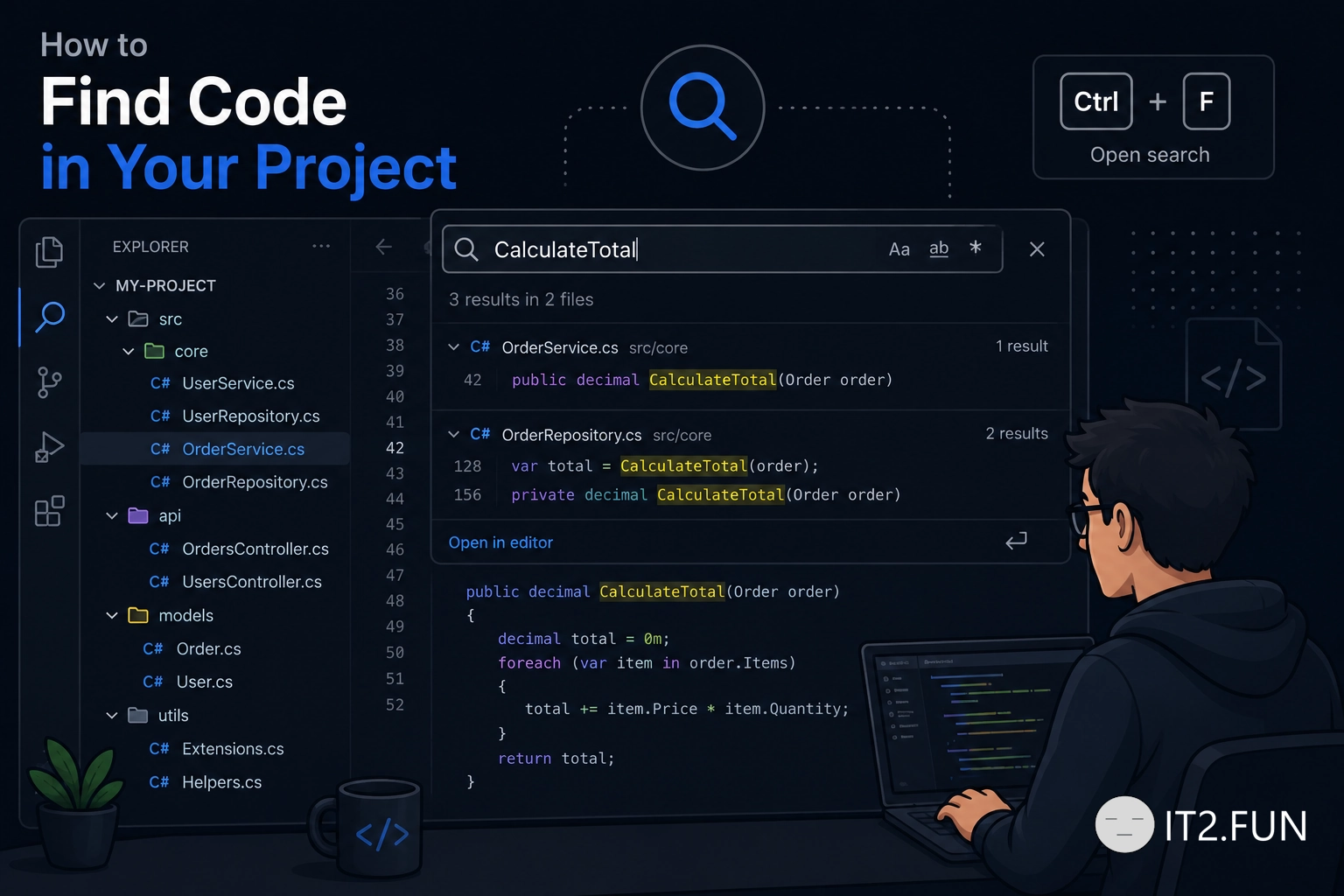
How to Find Code in Your Project

Need to find something in a large codebase?

Use search.

How to Find Code in Your Project

Depending on your IDE, you can search for:

  • File names
  • Classes
  • Methods
  • Symbols
  • Text
  • References

For text on the current page, Ctrl + F is often a good starting point.

For larger searches, use your IDE's project or solution search.

Searching is usually faster than opening every file manually.

How to Create a Background Job

Need to execute work outside an HTTP request?

Use a background service.

How to Create a Background Job

Common options:

  • BackgroundService
  • IHostedService
  • Worker Service
  • Hangfire
  • Quartz.NET

Background services are useful for scheduled tasks, message processing, and long-running operations.

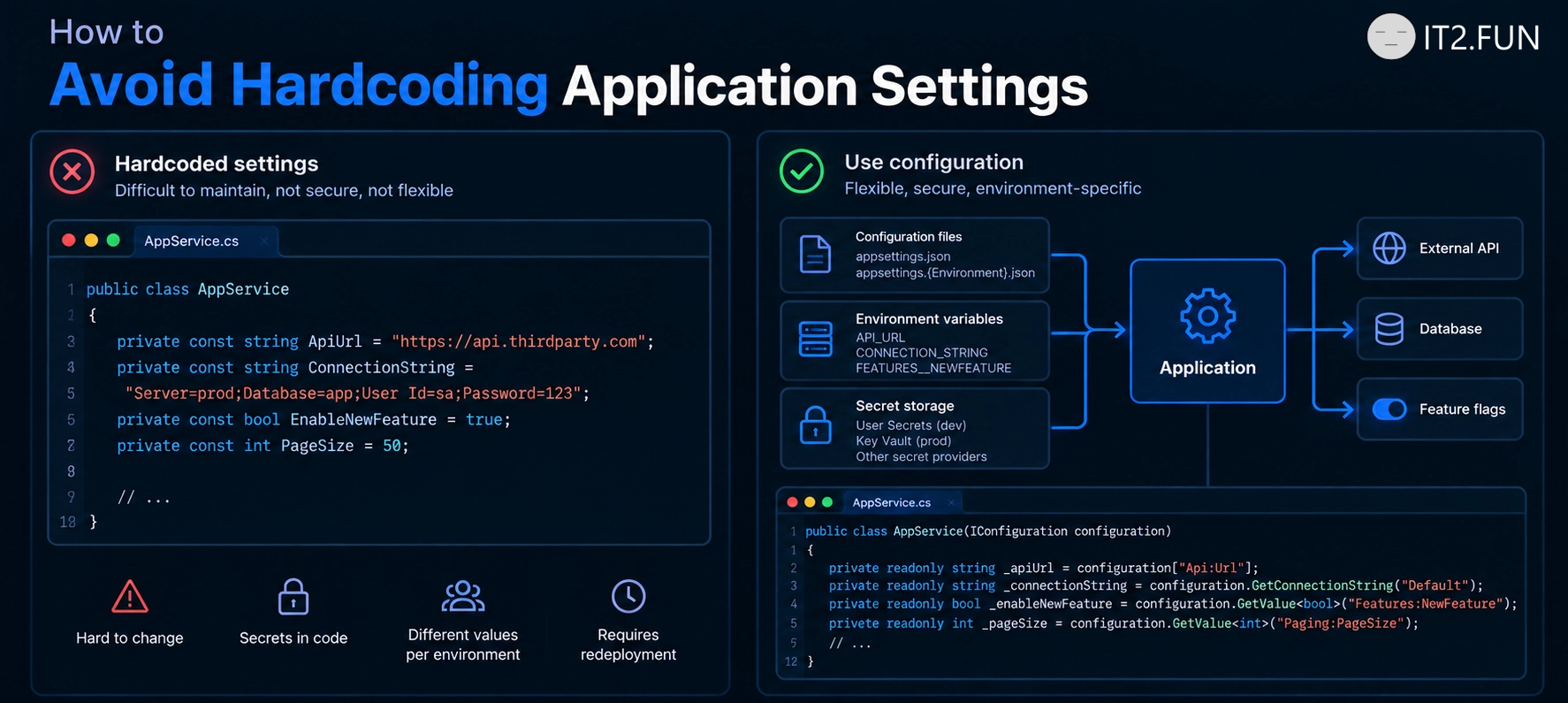
How to Read Configuration in ASP.NET Core

Need to access application settings?

Use IConfiguration

Common configuration sources:

  • appsettings.json
  • Environment variables
  • User Secrets
  • Azure Key Vault
  • Command-line arguments

ASP.NET Core automatically combines multiple configuration providers into a single configuration object.

How to Read Configuration in ASP.NET Core

How to Handle Errors in ASP.NET Core

Need to return a proper response when something goes wrong?

Use exception handling middleware.

How to Handle Errors in ASP.NET Core

Common approaches:

  • UseExceptionHandler()
  • Custom exception middleware
  • Return appropriate HTTP status codes
  • Log unexpected exceptions
  • Avoid exposing internal details

Centralized exception handling helps keep API responses consistent across your application.

How to Execute Code Before Every Request

Need to run logic for every incoming HTTP request?

Use ASP.NET Core middleware.

Common middleware scenarios:

  • Logging requests
  • Handling exceptions
  • Authentication
  • Authorization
  • Adding custom headers
  • Response compression

Middleware executes in the order you register it in the pipeline.

Each middleware can inspect the request, perform work, and pass execution to the next middleware.

How middleware works in .NET

How to Secure an ASP.NET Core Endpoint

Want to protect an API endpoint?

How to Secure an ASP.NET Core Endpoint

Add the [Authorize] attribute.

Common authorization options:

  • [Authorize]
  • [Authorize(Roles = "Admin")]
  • [Authorize(Policy = "EmployeeOnly")]
  • [AllowAnonymous] for public endpoints
  • Configure authentication before using authorization

Protected endpoints require authenticated users before your action executes.

Public endpoints without [Authorize] are accessible without authentication.

How do you organize authorization in your APIs?